
Approving Leave
-
Navigate to the Leave page
-
Locate the leave request in the table
-
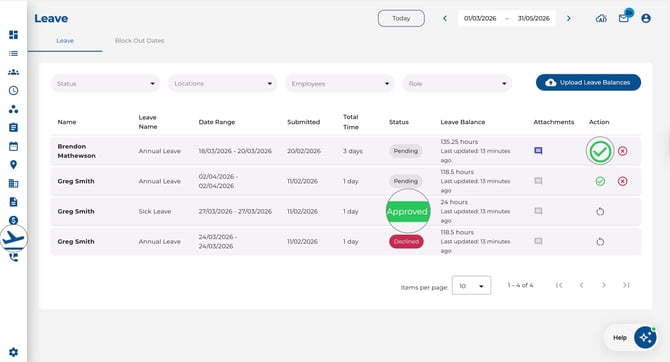
In the Action column, click the Approve (green checkmark) button
-
If leave balances are enabled and the employee has insufficient balance, a conflict dialogue will appear — you can choose to Approve anyway or Decline the request
Declining Leave
-
Locate the leave request
-
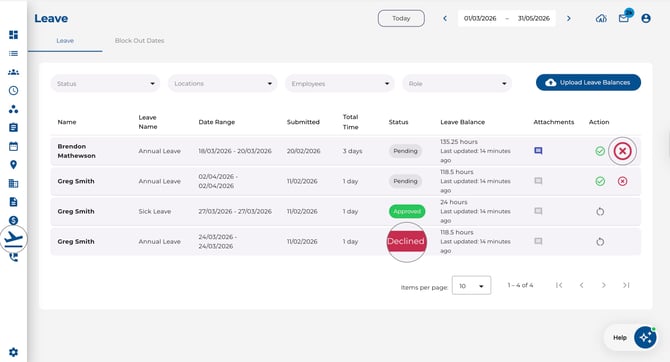
Click the Decline (red X) button in the Action column
-
The request status will change to Declined
Resetting a Decision
-
If a leave request has already been approved, declined, or cancelled, you can Reset it back to pending
-
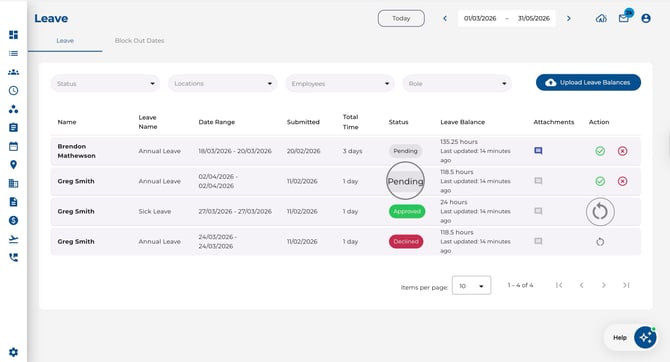
Click the Reset (restart icon) in the Action column
-
The request returns to Pending Approval status for re-review
Filtering for Pending Requests
-
Use the Status filter and select Pending to quickly find requests that need your attention
