
Creating a New Form
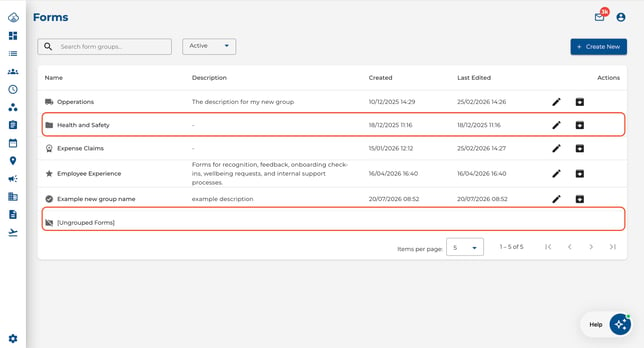
- Navigate to a group (or [Ungrouped Forms]) so you are viewing the forms list.
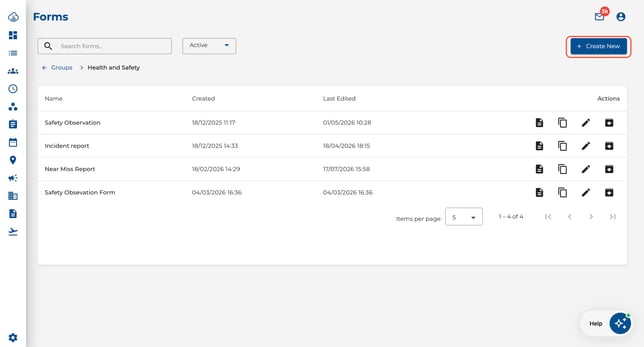
- Click Create New.
- A choice dialog appears:
- Start from Blank — opens an empty form builder.
- Select Template — choose from a library of common form types (coming soon).
.jpeg?width=344&height=209&name=Image%2029-07-2026%20at%201.58%20PM%20(1).jpeg)
- The form editor opens directly to the field builder, so you can start adding questions right away.
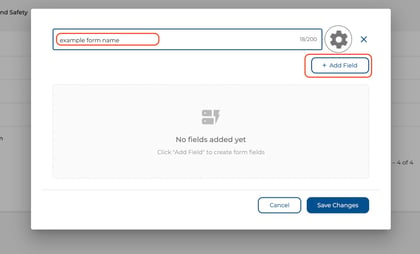
- To set the form name, group, permissions, or other settings, click the Settings (gear) icon in the top-right corner of the editor.
.jpeg?width=420&height=260&name=Image%2029-07-2026%20at%201.59%20PM%20(1).jpeg)
- Click Save Changes when finished.
Editing a Form
- Navigate to Forms and click into the group that contains your form.
- Click the Edit icon on the form row, or use the ⋮ overflow menu if the icon is hidden.
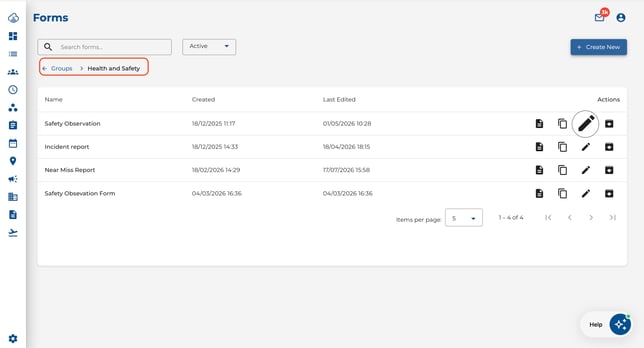
- The editor opens to the field builder. Use the Settings (gear) icon to access configuration options.
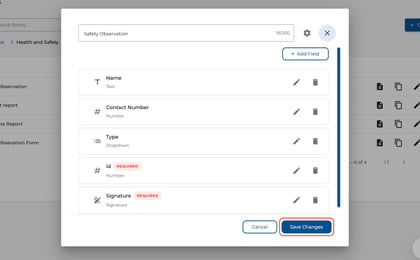
- Click Save Changes.
Duplicating a Form
- Click the Duplicate icon (or find it in the ⋮ menu) next to the form you want to copy.
.jpeg?width=644&height=348&name=Image%2029-07-2026%20at%202.01%20PM%20(1).jpeg)
- Enter a new name for the copy.
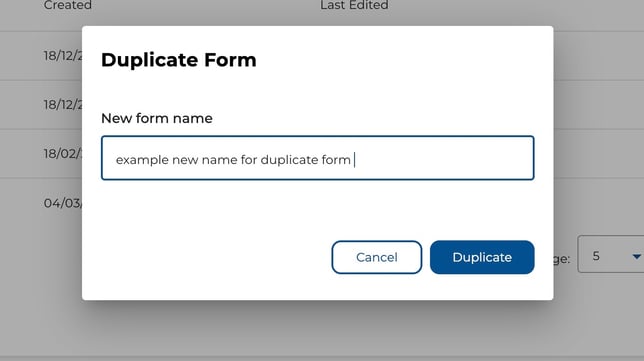
- The editor opens automatically so you can customise the duplicated form.
- Click Save Changes when done.
Archiving and Unarchiving
- Click Archive (or find it in the ⋮ menu) to hide a form from employees without deleting it.
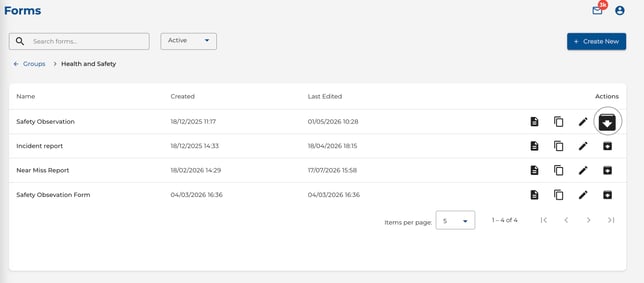
- Switch to the Archived filter to find archived forms.
- Click Unarchive to restore a form and make it visible to employees again.
.jpeg?width=644&height=278&name=Image%2029-07-2026%20at%202.03%20PM%20(1).jpeg)
Row Actions and the Overflow Menu
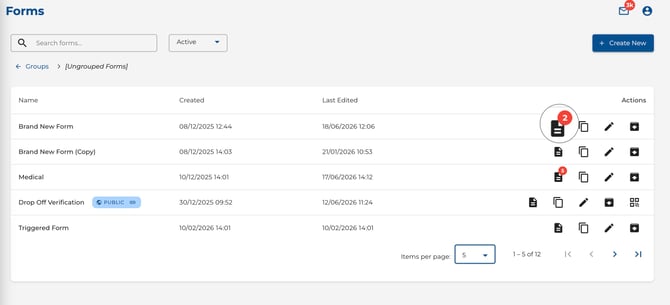
Each form row shows action icons (View Submissions, Edit, Duplicate, Archive, QR Code). When the screen is narrow, some icons collapse into a ⋮ (More actions) menu — click it to access the hidden actions.
The View Submissions icon displays a red badge with the number of unread submissions for that form. This count is personal to you — other users have their own unread counts. The badge disappears once all submissions have been viewed.
Tips
- Click any form row to jump straight to its submissions — no need to find the icon.
- The red unread badge next to View Submissions tells you at a glance which forms have new submissions waiting for your review.
- The form editor opens to the field builder first, so you can start building immediately and tweak settings later via the gear icon.
- Duplicate a form when you need a similar template for a different team — it saves time.
- Archive forms that are no longer needed instead of deleting them, so you keep a record.