Getting There
-
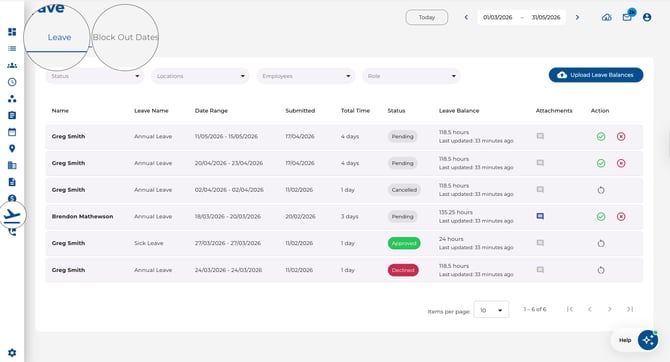
Click Leave in the main navigation menu on the left sidebar
Page Layout
The Leave page has two main tabs:
-
Leave — View, request, and manage leave applications
-
Block Out Dates — Manage employee unavailability rules
Admin View
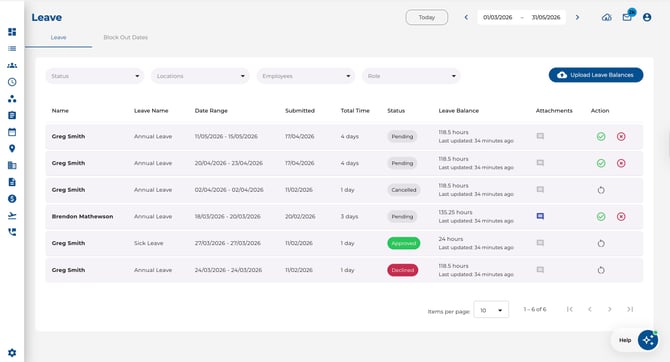
As an admin or manager, you can see all employee leave requests with filtering and approval options.
Employee View
As an employee, you see your own leave applications and can submit new requests.
.jpeg?width=670&height=363&name=Image%2017-04-2026%20at%209.41%20AM%20(1).jpeg)
Filtering Leave Applications
Use the toolbar filters to narrow down results:
-
Status — Filter by Pending, Approved, Declined, or Cancelled
-
Departments — Filter by department (admin only)
-
Employees — Filter by specific employees (admin only)
-
Roles — Filter by company roles (admin only, when enabled)
-
Clear all — Reset all active filters

Date Range
The global date range selector at the top of the page controls which leave applications are shown. By default, it displays from the start of last month to the end of the next two months.