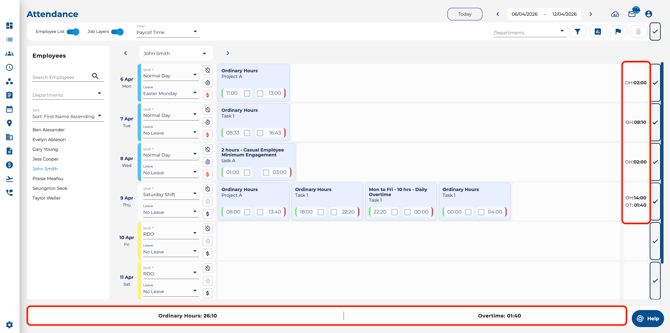
Switching Views
-
Click the View dropdown in the toolbar.
-
Select the view you want:
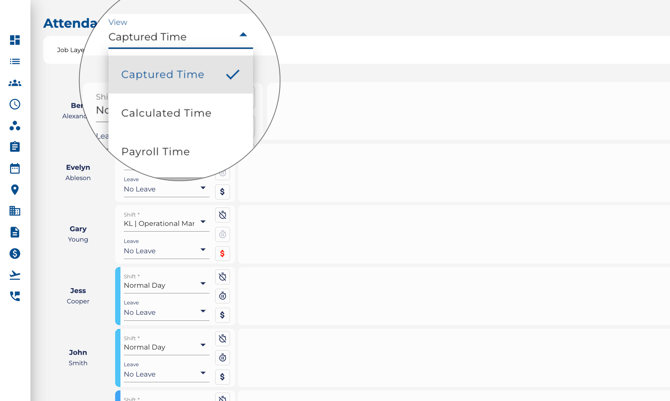
Available View Modes
-
Captured Time — The raw clock-in and clock-out times exactly as recorded. Always available.
-
Calculated Time — Shows times after automated break deductions have been applied. Available when break management is enabled.
-
Payroll Time — Displays the interpreted pay entitlements (e.g. ordinary hours, overtime, penalties). Available when the Awards engine is active.
- Overview — A manager-only view that compares actual attendance against planned (rostered) shifts for all employees in a consolidated grid. Planned values are colour-coded — green when on time, red when outside the lateness threshold — so variances are easy to spot. See How to Use the Attendance Overview for full details.