
Profile Template
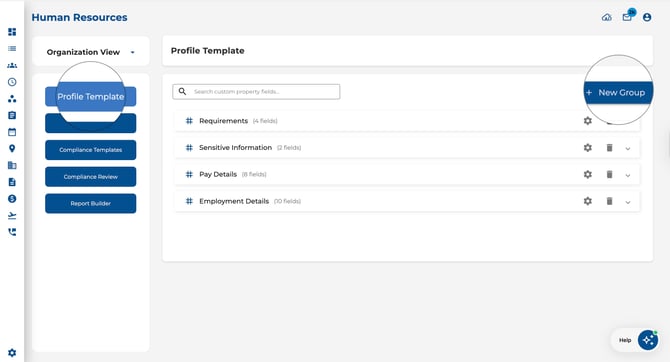
Create and manage custom property groups and fields that appear on all employee profiles.
-
Add custom fields like text, numbers, dates, toggles, dropdowns, and file uploads.
Organise fields into logical groups that display as expandable panels on each employee’s Basic Details tab..jpeg?width=644&height=439&name=Image%2016-04-2026%20at%202.56%20PM%20(1).jpeg)
Documents
Manage company-wide document folders and files that are shared across your organisation.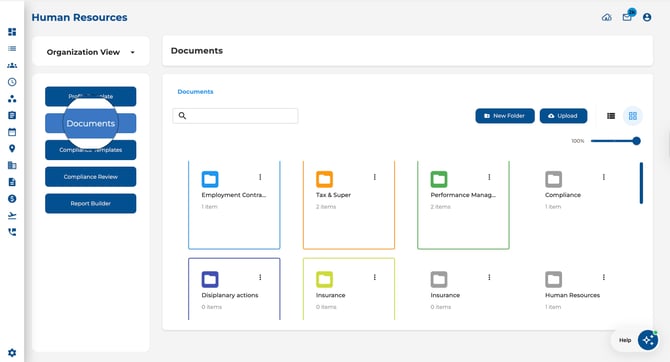
Compliance Templates
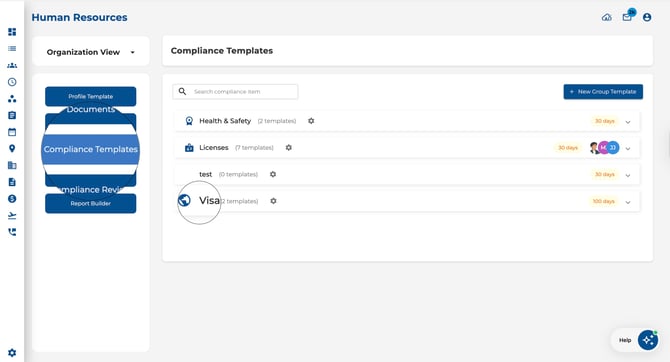
Create compliance categories and item templates used across your organisation.
-
Define categories (e.g., Licences, Certifications, Training).
-
Create templates with custom fields, expiry tracking, and alert rules.
.jpeg?width=670&height=532&name=Image%2016-04-2026%20at%202.58%20PM%20(1).jpeg)
Compliance Review
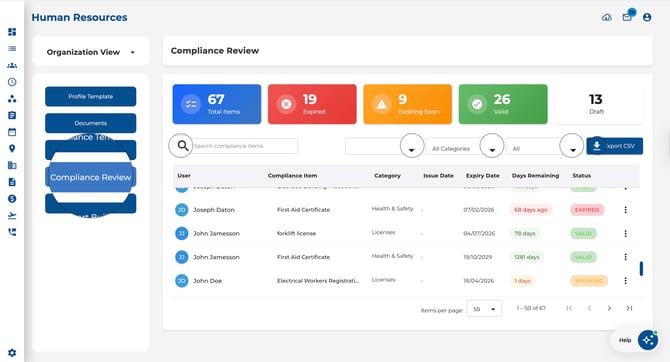
Review compliance status across all employees in one place.
-
Filter and search by employee, category, or status.
-
Export compliance data to CSV for reporting.
Report Builder
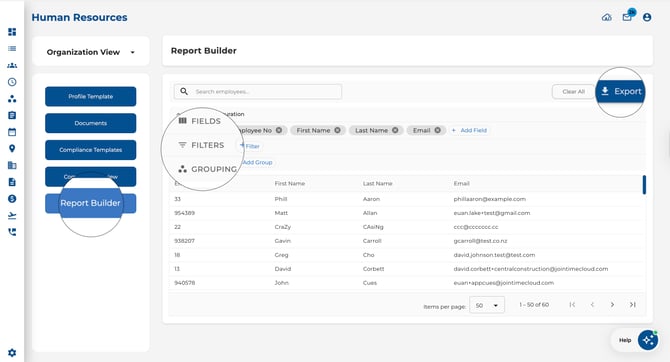
Build custom HR reports with configurable fields, filters, and grouping.
-
Choose which employee fields to include.
-
Apply filters and group results.
-
Export to CSV, Excel, or PDF.
How to Access
-
Navigate to the Human Resources page.
-
Click the View dropdown at the top of the employee list.
-
Select Organisation View.
-
Use the left-hand menu to navigate between sections.
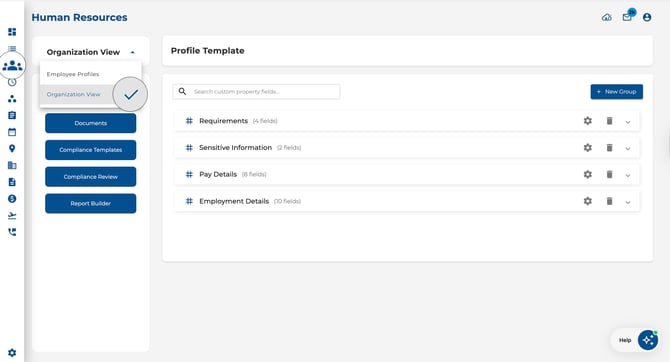
Tip: To go back to individual employee records, open the same View dropdown and choose Employee Profiles.